Speed up your innovation with Glows.ai, Scale up your large model training
 Billing System
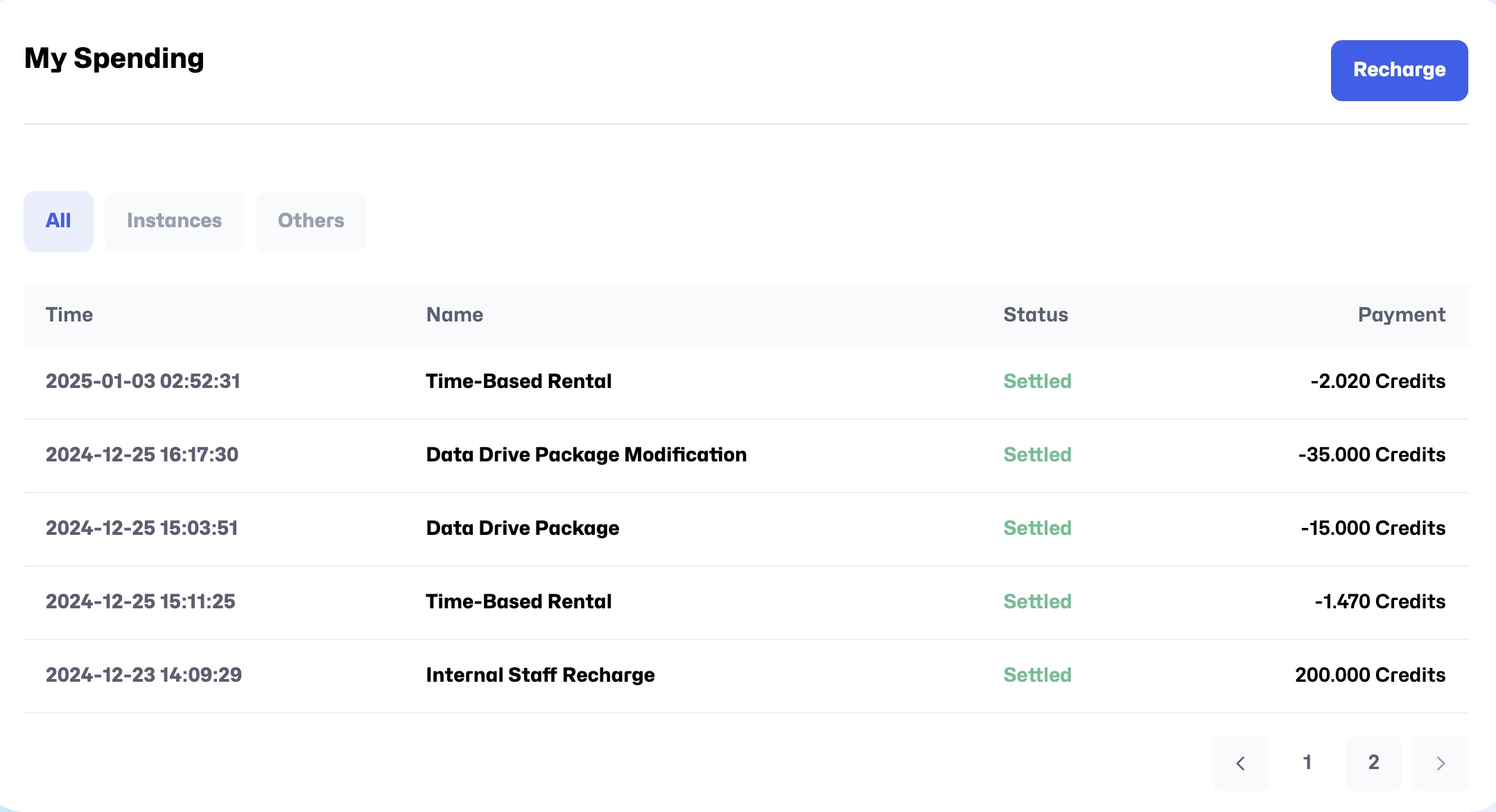
On the Billing page, you can view and manage your expenses and balance.
Recharge Credits
- Click the
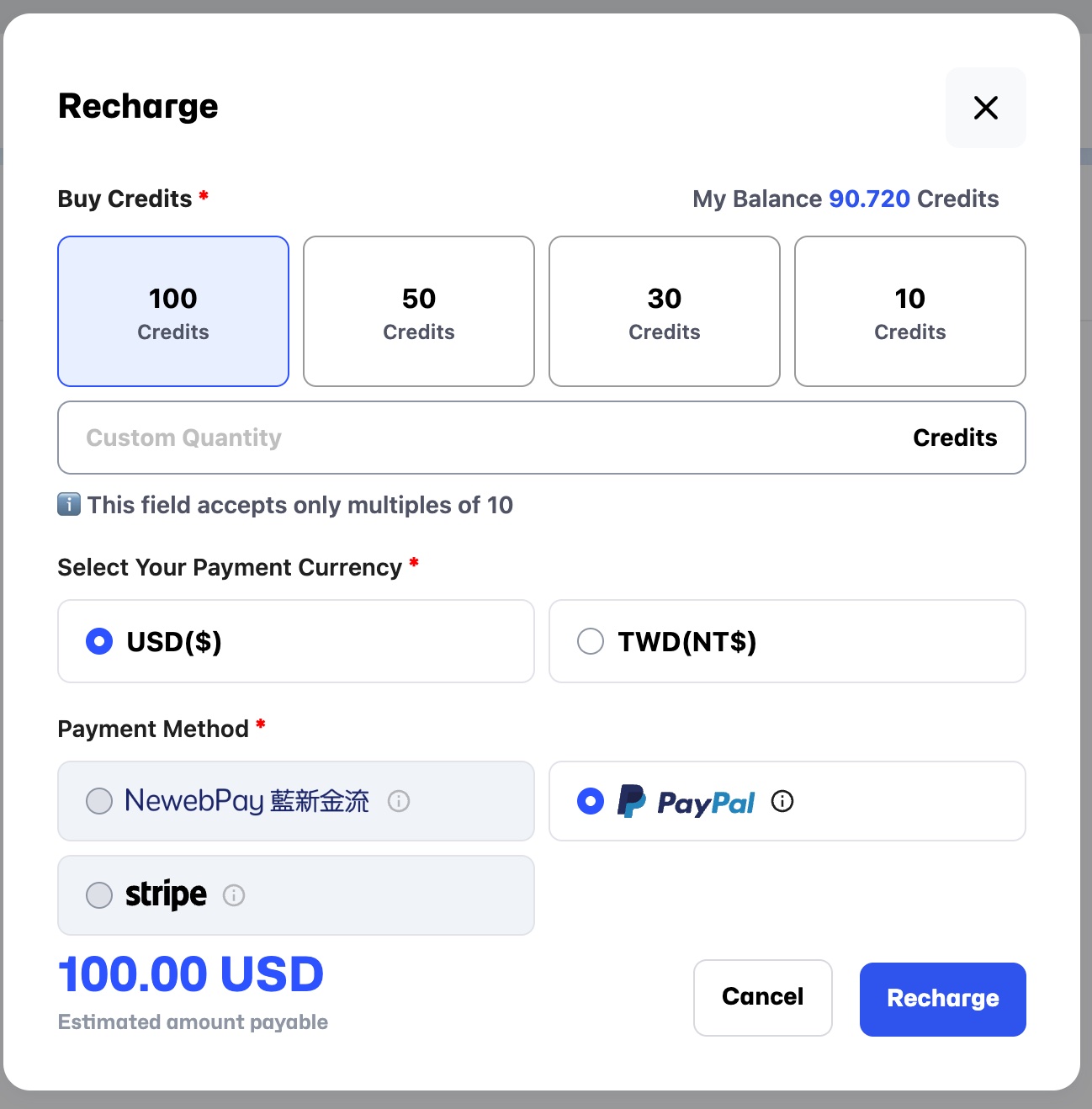
Rechargebutton next to My Spending. - After clicking, you will enter the recharge screen, displaying My Balance and Buy Credit options.
You can select a preset amount or customize the recharge amount.
- Choose the Payment Currency (currently supporting USD and TWD).
- Choose the Payment Method (currently supporting PayPal and NewebPay).
- Check I have read and agree to the EULA.
- Confirm the displayed amount is correct, then click Recharge to complete the recharge.
Billing Overview
- Balance (Credit): Current balance, e.g., 204.160. Click this arrow to enter the recharge screen.
- Total Spending (Credit): Total expense, e.g., 195.830.
- Total Duration (h): Total usage time, e.g., 17.3 hours.
- Invoicing Limit (Credit): Currently no limit.

Transaction History List
- Detailed information for each transaction, including Time, Name, Status, Payment.